
Verified October 10, 2026 — Budget PC buying guide updated. No unverified discount, price-history, or savings claims are made.
Affiliate Disclosure: This article may contain affiliate links. If you purchase through qualifying links, the publisher may earn a commission at no additional cost to you. Recommendations should be based on compatibility, technical evidence, and genuine value—not commission rates.
Building a gaming PC on a tight budget means making choices. You want the best possible performance without spending money on features you do not need. But choosing the cheapest available PC components every time can create problems that cost more to fix later.
Some PC components you should never cheap out on deserve particular attention because their quality, compatibility, or reliability affects the rest of your system. A suspiciously cheap power supply, an unreliable storage drive, or an inadequate cooling setup can undermine an otherwise sensible build.
The good news is that spending more is not always necessary. The goal is to recognize the difference between a genuine bargain and a false economy, then put your money where it makes a measurable difference. If you are still planning the whole system, start with our cheap gaming PC build guide.
Table of Contents
Direct Answer: PC Components You Should Never Cheap Out On
When building a gaming PC on a budget, these are the PC components you should never cheap out on: power supply quality, storage reliability, component compatibility, and the cooling required by your hardware. Avoid suspiciously cheap products with unclear specifications or warranty terms. Save money by comparing reliable models and skipping unnecessary features, not by accepting avoidable safety, reliability, or performance risks.
1. Power Supply: Never Choose by Wattage Alone
The power supply unit (PSU) is one of the most important PC components to evaluate carefully. It supplies power to the entire system, and its suitability depends on more than the number printed on the box.
A low-cost PSU with vague specifications or no credible independent testing is not automatically a bargain, even if the advertised wattage looks impressive. Few PC components affect stability as much.
Why a Cheap PSU Can Become an Expensive Mistake
An unsuitable or poorly designed unit may fail to deliver stable power under the loads your system requires. Poor-quality hardware can also have inadequate protections or questionable build quality.
Potential consequences include unexpected shutdowns, system instability, and the cost of replacing the unit. A faulty power supply may also create risks for connected hardware, depending on the failure.
What to Check Before Buying
- Exact model: Research the specific model number, not just the brand.
- Independent testing: Look for credible technical reviews that assess electrical performance, protections, and behavior under load.
- Capacity: Choose sufficient capacity for your CPU, GPU, and other PC components, with appropriate headroom.
- Connectors: Confirm that the PSU provides the connectors required by your graphics card and motherboard.
- Warranty: Check the length, conditions, and service provider.
- Efficiency: Consider efficiency ratings as one factor, not as proof of overall quality.
An 80 PLUS efficiency certification, for example, is not by itself a complete assessment of electrical quality, reliability, or protective features.a complete assessment of electrical quality, reliability, or protective features.
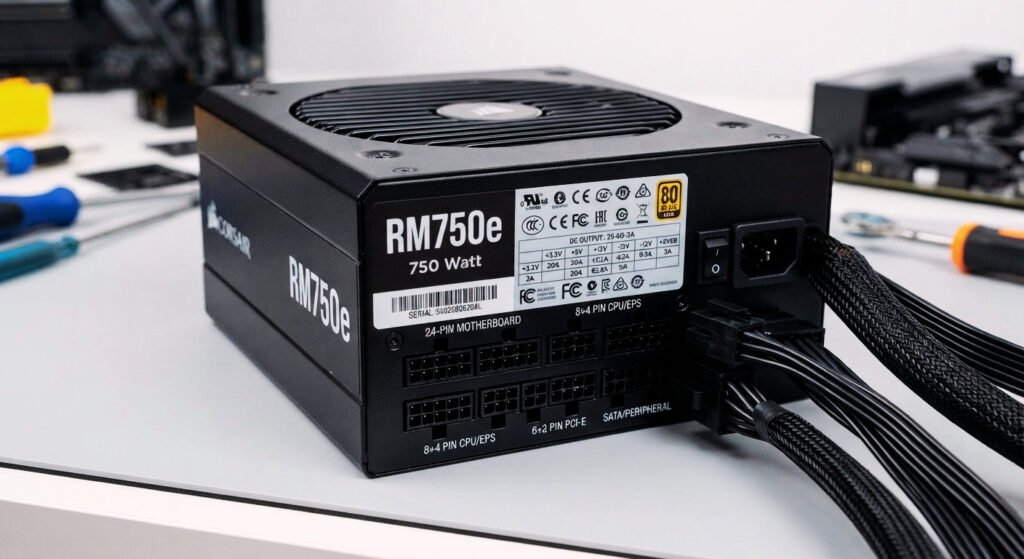
The smarter saving: Choose a reputable, independently tested model with the capacity and connectors your build actually needs. You do not necessarily need a premium PSU, but avoid buying an unknown unit solely because it is cheap. Reliable PC components cost less than failed ones.
2. SSD and Storage: Do Not Risk Your Data for a Small Saving
Storage is easy to overlook when most of your budget is going toward the graphics card. However, a questionable SSD or hard drive can create performance issues, replacement costs, and potentially serious data loss. That is why storage belongs among the PC components you should never cheap out on. Among PC components, storage often gets the smallest budget.
Why Suspiciously Cheap Storage Deserves Attention
An unusually cheap drive may have a different capacity, interface, condition, or warranty from the product you expected. Counterfeit or misleading listings can also misrepresent specifications.
Used drives introduce another consideration: their previous workload and remaining health may be uncertain. Our used hardware safety checks explain how to verify storage health before you pay.
How to Choose Storage More Safely
Check the following before purchasing:
- Capacity: Confirm that the advertised usable capacity meets your needs.
- Interface: Verify compatibility with your motherboard and intended slot.
- Performance: Compare reliable tests relevant to gaming and your other workloads.
- Warranty: Check the manufacturer’s terms and the retailer’s return conditions.
- Authenticity: Buy from a reputable seller and verify the model through manufacturer information where possible.
- Health information: For used drives, request appropriate diagnostic information and check for reported errors or critical warnings.
A gaming PC does not always need the fastest premium SSD available. A reputable drive with suitable capacity and performance may be a better use of your budget.
Never rely on a single drive as the only copy of important files. Maintain a separate backup, regardless of how new or expensive your storage is.
The smarter saving: Compare reputable SSDs by capacity, performance, warranty, and cost per unit of storage. Skip unnecessary premium features if they do not benefit your workload, but do not ignore reliability or authenticity.
Affiliate opportunity: [AFFILIATE LINK: reputable budget SSDs]
3. CPU Cooling: Avoid the Cheapest Inadequate Solution
Cooling is another of the PC components where the cheapest option may not suit your hardware.
Some processors include a cooler, while others require you to buy one separately. The right solution depends on the processor’s power characteristics, the workload, the case airflow, and the manufacturer’s recommendations.
What Happens When Cooling Is Inadequate?
Depending on the system, insufficient cooling can lead to higher temperatures, louder fan operation, reduced performance under sustained loads, or thermal throttling.
However, buying an expensive liquid cooler is not automatically necessary. Many budget gaming builds can use an appropriate air cooler or a suitable included cooling solution.
What to Check
- Confirm whether the processor includes a cooler.
- Check the cooler’s supported socket and mounting hardware.
- Verify that the case has enough clearance.
- Consider the processor’s thermal requirements and expected workload.
- Check fan noise and independent testing where available.
- Ensure the case has a reasonable airflow path.
For a budget gaming PC, a well-matched air cooler may offer better value than an expensive cooling system with features you will never use.
The smarter saving: Buy enough cooling for your actual CPU and workload. Avoid both extremes: an inadequate cooler that struggles under load and an unnecessarily expensive solution that consumes money better spent elsewhere. Match cooling to the PC components you actually own.
Affiliate opportunity: [AFFILIATE LINK: compatible budget CPU coolers]
4. Motherboard: Do Not Confuse Cheap With Compatible
The motherboard is not necessarily one of the PC components that deserve the largest budget, but choosing the wrong one can create compatibility problems and additional costs.
A motherboard that looks like a bargain may lack a feature you need or may require a BIOS update before supporting your chosen processor.
Common Motherboard Buying Mistakes
- Buying a board with the wrong CPU socket.
- Assuming all processors on a platform work with every board.
- Ignoring BIOS compatibility requirements.
- Choosing a board that does not support the intended memory type.
- Overlooking storage slots or essential connectivity.
- Buying a board that cannot accommodate your upgrade plans.
At the same time, you do not need an expensive motherboard simply because you are building a gaming PC.
How to Save Without Making a Bad Choice
Start with the processor you intend to use, then check the motherboard manufacturer’s CPU support list and BIOS requirements.
Confirm the memory generation, storage connections, expansion slots, case form factor, and connectivity you actually need.
If you do not need advanced overclocking, multiple high-speed expansion slots, or premium connectivity, paying extra for those features may not improve your gaming experience.
The smarter saving: Choose a compatible motherboard with the essential features for your build, rather than the cheapest board regardless of specifications or the most expensive board regardless of need.
5. Graphics Card: Avoid False Bargains That Miss Your Performance Target
The graphics card can be one of the biggest influences on gaming performance, so a large advertised discount can be tempting.
But a cheap GPU is only a good purchase if it delivers the performance, features, and compatibility you need at an appropriate total price.
Why the Lowest Price Can Be Misleading
A heavily discounted card may be an older model with limited performance for your preferred resolution, or it may be a different variant from the one you thought you were buying.
Used and refurbished cards also require checks of their physical condition, cooling, seller claims, and warranty coverage.
What to Check Before Buying
- Look for independent benchmarks in games and resolutions relevant to your needs.
- Confirm the exact model and video memory capacity.
- Check case clearance and power requirements.
- Compare the card with similarly priced alternatives.
- Review warranty and return conditions.
- For used hardware, request testing evidence and inspect the actual item.
Do not choose a GPU purely because it has more memory or a larger advertised discount. Overall performance and suitability matter.
The smarter saving: Set your target resolution and performance level first. Compare credible benchmarks and prices for several suitable cards, then choose the best fit rather than the most heavily promoted product.
6. RAM: Avoid the Wrong Kit, Not Just the Expensive One
Memory is one of the PC components where sensible savings are often possible. You do not necessarily need the highest advertised speed or a premium design to build a capable gaming PC.
The real mistake is buying a kit that does not suit your platform or provides too little capacity for your intended use.
Common RAM Mistakes
- Buying the wrong memory generation for the motherboard.
- Choosing an incompatible kit.
- Paying extra for RGB lighting or specifications you will not benefit from.
- Purchasing a single module when your intended configuration calls for a matched kit.
- Ignoring capacity requirements for modern games and background applications.
How to Choose Wisely
Check your motherboard’s supported memory specifications and the processor platform’s requirements.
Compare capacity, rated speed, timings, kit configuration, warranty, and price. If you plan to use a memory profile such as XMP or EXPO, check the platform’s support and understand that rated profile speeds may depend on the specific CPU, board, and memory configuration.
The smarter saving: Choose a compatible memory kit with sufficient capacity and sensible specifications. Pay for higher speeds only when the cost and expected benefit make sense for your build. Match it to the other PC components in your build.
7. Case and Airflow: Do Not Buy a Box That Restricts Your Build
A PC case does not have to be expensive to be good. However, a low-priced case can become a false economy if it cannot fit your hardware properly or provides inadequate airflow. Among PC components, the case is often underestimated.
What Can Go Wrong?
A case may have limited space for the graphics card, insufficient CPU cooler clearance, poor fan placement, or awkward cable-management options.
Restricted airflow can also make it harder to maintain suitable temperatures, depending on the PC components and fan setup.
What to Check
- Maximum graphics-card length.
- CPU cooler height clearance.
- Motherboard form-factor support.
- Power supply dimensions.
- Fan mounts and airflow paths.
- Front-panel connections and included accessories.
Do not assume that every case advertised as a gaming case is suitable for every gaming PC. every gaming PC.
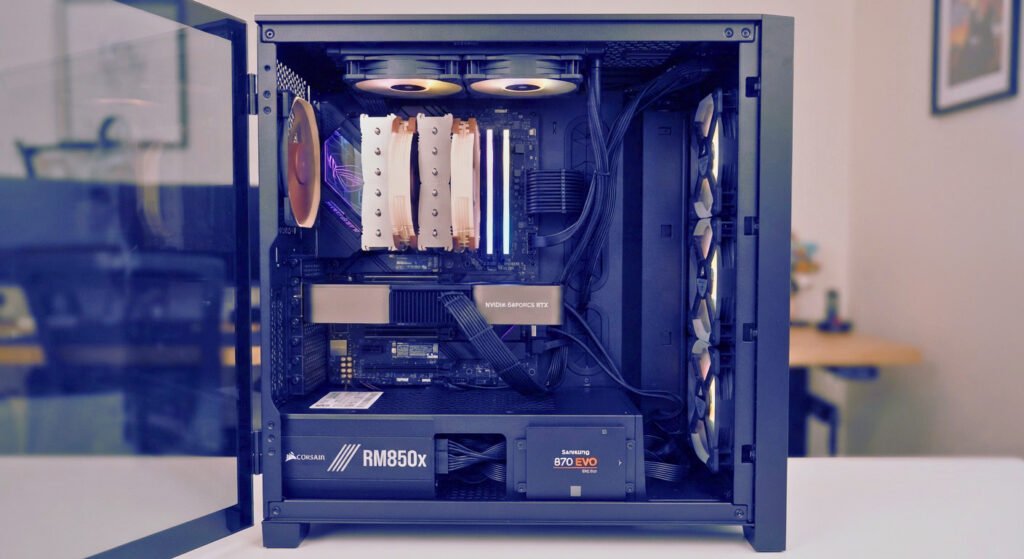
The smarter saving: Choose a straightforward case that fits your hardware and supports sensible airflow. Spend more only when the improved construction, cooling, or features are genuinely useful. Fit it to your other PC components first.
8. Cables, Adapters, and Connectors: Avoid Unknown Compatibility Risks
Cheap accessories can be useful, but the wrong cable or adapter can cause compatibility problems. Cables and adapters are PC components too.
This is especially important for power connections. Do not assume that cables from different modular power supplies are interchangeable, even when the plugs appear to fit. PSU-side pinouts can differ between models.
Check Before You Connect Anything
- Use the cables supplied with the PSU or explicitly approved for that exact model.
- Confirm the graphics card’s required power connectors.
- Follow the PSU and GPU manufacturers’ installation instructions.
- Avoid damaged connectors, loose fittings, and adapters with unclear specifications.
- Never force a connector into a socket.
A cheap accessory is not a bargain if it introduces an avoidable electrical or compatibility risk.
The smarter saving: Use the correct, documented cables and accessories. Save money by avoiding decorative extras rather than substituting unknown PC components in critical power connections.
9. CPU and GPU Pairing: Avoid Spending Too Much on One Part
Not every false bargain involves buying low-quality PC components. Sometimes the mistake is spending too much on one part and leaving too little for the rest of the system.
A high-end graphics card paired with a processor that cannot keep up in your chosen games may not deliver the experience you expected. Likewise, an expensive CPU paired with a modest graphics card may not improve gaming performance enough to justify the additional cost.
The result depends on the game, resolution, settings, and workload, so there is no universal ideal CPU-to-GPU spending ratio.
How to Balance the Build
- Decide whether you are targeting 1080p, 1440p, or another resolution.
- Identify the games or applications that matter most.
- Compare relevant independent CPU and GPU benchmarks.
- Check the total cost of the platform, including the motherboard and cooling.
- Keep enough budget for a suitable PSU, storage, memory, and case.
The smarter saving: Build around your actual performance target. Avoid both an unbalanced system and expensive PC components whose benefits you will rarely use.
10. Where You Can Save Money Without Taking Unnecessary Risks
A budget build does not mean every component needs a premium model. Beyond the PC components you should never cheap out on, the key is to distinguish essential quality from optional features. Beyond the main PC components, many extras are safe to economize on.
| Component | Sensible saving | False economy to avoid |
| Power supply | Choose an appropriately sized, well-tested model | Unknown unit with unclear specifications or protections |
| SSD | Buy suitable capacity and performance from a reputable source | Misrepresented capacity or uncertain condition |
| CPU cooler | Use an adequate included cooler or suitable air cooler | Cooling that cannot handle the processor’s workload |
| Motherboard | Pay for the features and compatibility you need | Wrong socket, unsupported CPU, or missing essential features |
| Graphics card | Compare performance per total cost | Buying solely because the discount looks large |
| RAM | Choose a compatible kit with appropriate capacity | Incompatible memory or insufficient capacity |
| Case | Pick a practical case with adequate clearance and airflow | A case that cannot fit or cool your components |
| Accessories | Skip decorative extras you do not need | Unknown power cables or unsafe adapters |
The objective is not to spend more everywhere. It is to avoid compromises that can undermine the entire build.
11. How to Spot a Fake PC Deal Before You Buy
Even good PC components can be a bad purchase if the listing is misleading.
Before paying, use this checklist:
- Verify the exact model number and specifications.
- Compare the current price with reputable retailers.
- Check price history where reliable records are available.
- Read independent reviews or technical tests for the exact model.
- Confirm the seller’s identity and product condition.
- Check warranty coverage and the return policy.
- Include shipping, taxes, and other unavoidable costs.
- Avoid pressure tactics that prevent you from checking the offer.
- Confirm that the PC components are compatible with your build.
Do Not Trust a Discount Percentage on Its Own
A large percentage does not establish that a product is good value. To calculate a genuine saving, you need a relevant, verifiable reference price.
Saving amount = reference price − current price
Discount percentage = (saving amount ÷ reference price) × 100
For example, if a product’s verified reference price is 100 currency units and the current price is 85, the difference is 15 units, or 15%. This is a hypothetical calculation, not a claim about a current hardware deal.
If you cannot verify the reference price, avoid publishing a precise savings claim. Describe the current listing accurately instead.
12. A Practical Budget Strategy for a Safer Gaming PC
Use a simple order of priorities to protect the PC components you should never cheap out on. For a complete parts-by-parts plan, see our complete budget gaming PC guide.
First, define the target. Choose your gaming resolution, expected performance, and the games you want to play.
Second, select suitable core PC components. Compare graphics cards and processors that meet your needs, then confirm motherboard compatibility.
Third, protect the foundation. Reserve enough budget for a suitable power supply, adequate cooling, and dependable storage.
Fourth, avoid unnecessary extras. Premium lighting, decorative accessories, advanced motherboard features, and expensive cooling systems may be optional depending on your build.
Fifth, compare the complete cost. Include all required parts, delivery, and any additional items you need to make the system work. Time your order with the best time to buy PC components calendar.
Finally, verify every deal. Confirm the exact model, stock, seller, warranty, and price before placing an order.
This approach makes it easier to distinguish a genuine bargain from PC components that are cheap only because they fail to meet your requirements.
Final Verdict: PC Components You Should Never Cheap Out On
The best budget gaming PC is not the one built from the cheapest listing in every category. It is the one that meets your performance target, uses compatible PC components, and avoids unnecessary risks. The right PC components make the budget go further.
Be particularly careful with power supplies, storage, cooling, and any PC components whose failure could lead to expensive repairs or data loss. Choose a suitable graphics card and processor based on credible performance information, and avoid paying for premium features you do not need.
Before buying, compare the exact model, read reliable reviews, check warranty terms, and calculate the total cost. A genuine deal should make your build better value—not leave you with a problem that costs more to fix later.
Frequently Asked Questions
Which PC component should you never cheap out on?
Prioritize a reliable power supply, suitable cooling, and dependable storage. The right choice depends on your hardware and workload, but poorly selected PC components can cause instability, extra replacement costs, or data loss. Compare specifications, independent testing, warranty terms, and total cost rather than choosing by price alone.
Can I save money on a gaming PC without sacrificing quality?
Yes. Choose a graphics card and processor that match your target resolution, avoid paying for motherboard features you will not use, and compare reputable RAM and SSD options. A well-planned build with compatible PC components can be more cost-effective than buying the cheapest part in every category.
Is the cheapest power supply good enough for a budget PC?
Not necessarily. Check the exact model, independent technical reviews, required connectors, capacity, protection features, and warranty. Do not rely on wattage claims or efficiency labels alone. If the unit has unclear specifications, poor testing evidence, or questionable seller information, choose a better-documented alternative.
Sources for Factual Verification
- Intel — Boxed and Tray Processor Warranty Policy: warranty coverage can differ by product type and sales channel.
- AMD — Warranty Guide for Boxed Processors: authenticity, physical damage, and eligibility considerations.
- NVIDIA — Graphics Card Warranty Information: warranty terms for NVIDIA-branded graphics cards.
Pingback: Cheap Gaming PC Build Guide: Save on Every Part (2026)
Pingback: Used and Refurbished PC Components: 12 Safety Checks