
Verified October 10, 2026 — Used-hardware buying guide updated. No unverified savings, performance claims, or price-history claims are made..
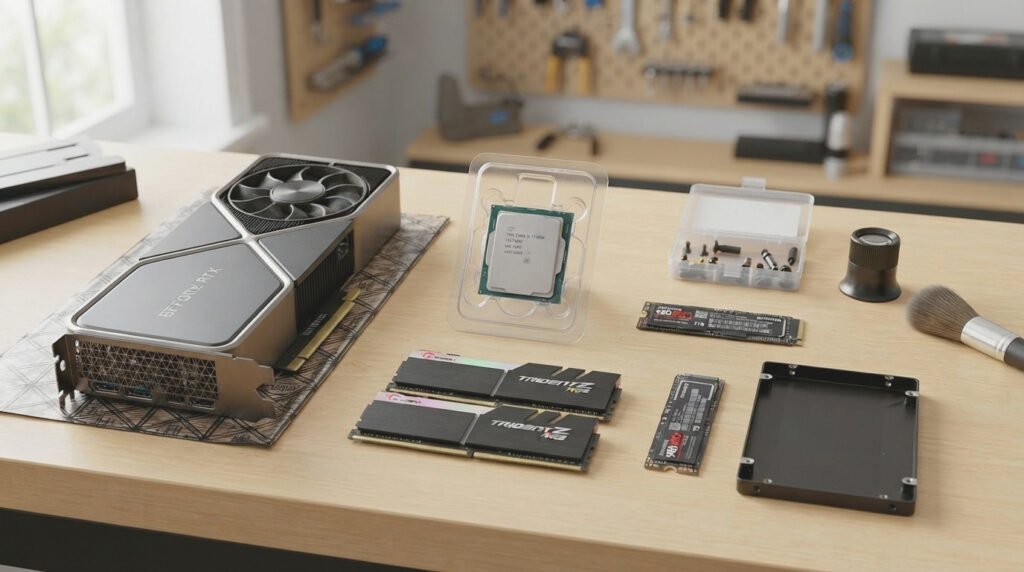
Building a gaming PC on a limited budget does not always mean buying every component new. Used and refurbished PC components can help you stretch your budget, especially when you are looking for a graphics card, processor, memory kit, or case.
However, a low asking price is not enough to make a purchase of used and refurbished PC components worthwhile. Hidden faults, unclear warranty conditions, misleading product descriptions, and counterfeit listings can turn an apparent bargain into an expensive mistake.
This guide explains how to evaluate used and refurbished PC components, which parts deserve extra scrutiny, how to test them before paying, and which warning signs should make you walk away.
If you are still planning the whole system, start with our cheap gaming PC build guide.
Table of Contents
Direct Answer
To buy used and refurbished PC components safely, verify the exact model, inspect its physical condition, request proof of testing, check the seller’s return policy, and confirm warranty coverage before paying. Test the component whenever possible, compare its total price with a new alternative, and avoid deals that rely on urgency, missing details, or advance payments without protection.
Used vs. Refurbished vs. Open-Box: What Is the Difference?
When you shop for used and refurbished PC components, the terms are often used interchangeably in listings, but they do not necessarily describe the same condition.
Used Hardware
A used component has had a previous owner. It may have been removed from a working gaming PC, upgraded during a build, or sold after a system replacement.
The seller might provide the original receipt, accessories, and evidence that the part works. Alternatively, the component might be sold without packaging, testing records, or a clear warranty.
What matters: its actual condition, history where known, functionality, and the protections available from the seller.
Refurbished Hardware
Refurbished hardware has typically undergone some form of inspection, testing, cleaning, repair, or restoration. However, the exact process varies between sellers.
One retailer may perform documented functional tests and replace defective parts. Another may simply inspect a returned product and resell it.
What matters: who refurbished the component, what work was performed, what tests it passed, and whether a written warranty or return period is provided.
Open-Box Hardware
Open-box products may have been returned, displayed, or opened without necessarily being extensively used. Their condition varies, so check the reason for the return, included accessories, and applicable warranty.
Do not assume that open-box means unused or that refurbished means equivalent to new.
1. Which Used and Refurbished PC Components Are Worth Considering?
Not every one of the used and refurbished PC components on the market carries the same risks. Consider the component’s condition, replacement cost, testability, and potential impact on the rest of your build.
Used Graphics Cards: Potential Value, Higher Inspection Priority
Among used and refurbished PC components, a graphics card is often the biggest part of a gaming PC budget. A used model may be attractive when it meets your performance needs and costs substantially less than a suitable new alternative.
Before buying, check:
- The exact GPU model and video memory capacity.
- Whether the card matches the seller’s photographs and description.
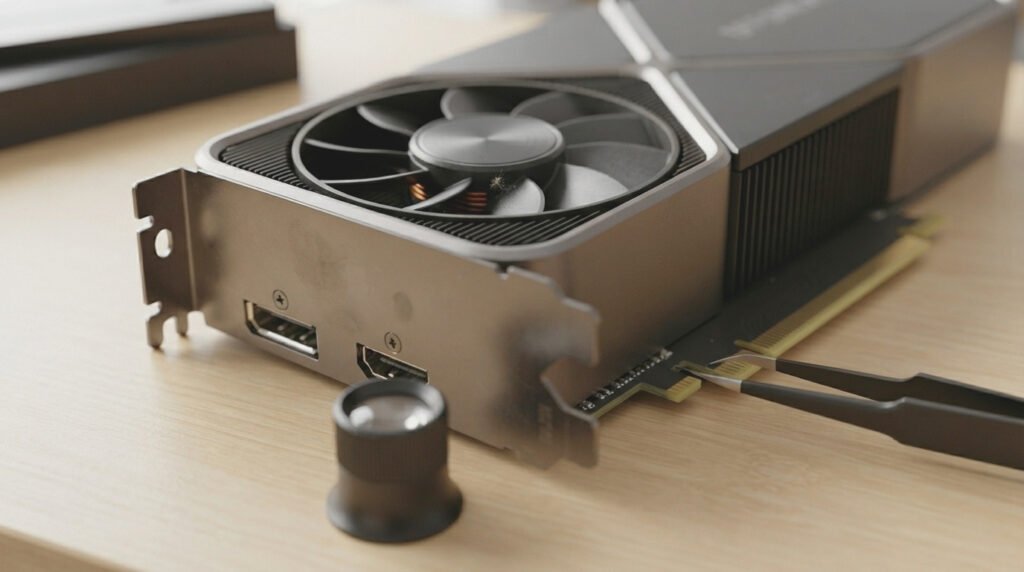
- Fan condition, heatsink condition, connectors, and visible PCB damage.
- Whether the card produces visual artifacts, crashes, or unusual noises under load.
- Whether the seller allows testing or provides credible test results.
- The remaining warranty, if any, and whether it applies to a second owner.
A card’s previous use cannot always be established from its appearance. Dust or worn fans may indicate use, but clean hardware is not proof of a trouble-free history.
Also, do not automatically reject every card that may have been used for cryptocurrency mining. The relevant questions are its actual condition, operating history where known, cooling, stability, and price. Testing and warranty terms matter more than speculation.
Used Processors: Inspect the Pins, Pads, and Model
Processors are among the used and refurbished PC components that can be good candidates for a second-hand purchase, provided they are compatible and physically undamaged.
Before buying, verify:
- The exact processor model and socket or platform requirements.
- Bent, missing, contaminated, or damaged pins where applicable.
- Damage to contact pads or the processor substrate.
- Whether the CPU is recognized correctly by the intended motherboard.
- Whether the system remains stable under a suitable CPU workload.
- Whether warranty eligibility can be verified with the manufacturer or seller.
AMD’s official warranty guidance identifies physical damage, including damaged pins and other externally caused damage, as potential grounds for excluding warranty service. Review the AMD processor warranty guidance before buying a used processor.
Used RAM: Test Stability and Compatibility
Memory is one of the used and refurbished PC components that is hardest to assess from appearance alone. A kit may look perfect yet produce errors or fail to work at its advertised settings.
Check the exact kit model, capacity, memory generation, speed rating, and motherboard compatibility (not sure which generation your platform needs? See how to choose the right RAM for your build).
If possible, test the modules using a suitable memory diagnostic or stability test. For a multi-module kit, verify that the complete kit works together rather than testing only one stick.
Ask whether the listing includes the entire kit advertised. A single module from a matched set is not equivalent to a complete kit.
Used SSDs and Hard Drives: Check Health and History
Among used and refurbished PC components, storage devices deserve special attention because their condition cannot be judged reliably from appearance.
For an SSD, request a diagnostic report showing relevant health indicators, total host writes where available, power-on hours, and any reported critical warnings. For a hard drive, check SMART information and run appropriate diagnostics when possible.
Keep in mind that health indicators vary by manufacturer and model. A diagnostic reading is useful evidence, not a guarantee that a drive will never fail.
Never rely on a second-hand drive as the only copy of important data. Back up your files, and replace a questionable drive rather than risking valuable information.
Used Motherboards: Check More Than the Socket
Motherboards are used and refurbished PC components with numerous connectors and delicate parts that can be damaged during installation or shipping.
Inspect the CPU socket, memory slots, PCIe slots, storage connectors, rear I/O, and power connectors. Look for visible corrosion, damaged components, and signs of improper handling.
Ask the seller to demonstrate that the board boots and recognizes the processor and memory. Also confirm the BIOS version supports your intended CPU.
A motherboard can appear functional while an individual port or slot remains faulty, so test the connections you actually plan to use whenever possible.
Used Power Supplies: Be Especially Careful
Of all used and refurbished PC components, the power supply is the one where taking risks just to save money is hardest to justify. Internal wear or faults may not be visible from the outside.
Check the exact model, age if known, condition, required connectors, and warranty status. Ask whether the unit has been repaired or modified.
Do not open a power supply to inspect its internals: capacitors can retain dangerous electrical charge even after disconnection. Never assume that a familiar brand name guarantees that a particular used unit is safe.
If its history is unclear, its condition is questionable, or its price advantage is small, choosing a new power supply from a reputable seller may be the better decision.
To see why this part matters so much in any build, read our guide to the PC components you should never cheap out on.
Used Cases and Cooling Accessories: Often Easier to Inspect
Cases and basic cooling accessories are the used and refurbished PC components that are generally easiest to assess visually, although fans, pumps, and other moving parts can still fail.
Check for missing screws, damaged panels, stripped threads, broken clips, and poor fan operation. For liquid cooling, ask about age, pump operation, leaks, and any remaining warranty.
Confirm the case can accommodate your graphics card, CPU cooler, motherboard, and power supply before purchasing.
2. The Essential Inspection Checklist for Used and Refurbished PC Components
A short, consistent inspection process for used and refurbished PC components can help you identify problems before money changes hands.
Step 1: Confirm the Exact Model
When buying used and refurbished PC components, ask for the full model number and clear photographs of the actual component. Compare them with the manufacturer’s official product information.
Be cautious if the listing title describes one model but the photographs show another, or if the seller refuses to provide identifying details.
Step 2: Request Proof That the Component Works
For used and refurbished PC components, useful evidence can include:
- A recent photograph or video showing the actual component.
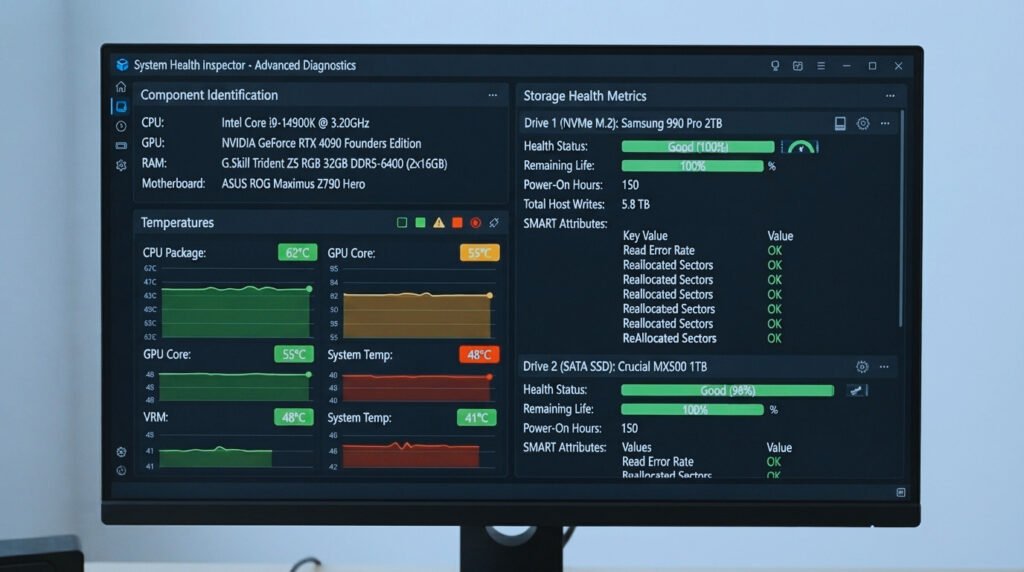
- A system screenshot identifying the installed hardware.
- A successful stability or functional test.
- Relevant storage health data.
- A demonstration of the ports, slots, fans, or other features you need.
Screenshots alone are not conclusive and may be outdated or unrelated to the product. Where possible, arrange an in-person test or buy from a seller that offers a meaningful return period.
Step 3: Inspect the Physical Condition
Look for bent pins, damaged connectors, corrosion, cracks, missing screws, unusual residue, and signs of careless repairs.
Minor cosmetic wear may be acceptable if disclosed. Structural damage, unexplained modifications, or damage that could affect operation deserve much greater caution.
Step 4: Ask About the Component’s History
Useful questions include:
- How long has the component been used?
- Was it installed in a working system?
- Has it ever been repaired?
- Why is it being sold?
- Is the original receipt available?
- Is any warranty still active?
A seller may not know every detail, but clear, consistent answers are preferable to unsupported assurances.
Step 5: Confirm the Sale Terms in Writing
Before paying for used and refurbished PC components, save the listing, seller messages, photographs, stated condition, and any warranty or return promises.
For online purchases, use a payment method with appropriate buyer protections where available. Avoid unusual payment requests, pressure to move outside a platform’s protections, or transfers to an unrelated recipient.
For local purchases, meet in a safe place and test the component where practical. Do not allow urgency to replace basic checks.
3. How to Test Used and Refurbished PC Components Safely
Testing should match the component. There is no single test that proves every one of the used and refurbished PC components you buy is reliable.
Graphics Card Testing
If you can test the card in a compatible PC:
- Confirm the card is identified correctly by the operating system and appropriate software.
- Check that the display output works.
- Run a suitable graphics workload.
- Monitor temperatures, fan behavior, stability, and visual artifacts.
- Stop if you notice crashes, burning smells, unusual electrical noises, or other signs of a fault.
A brief test may reveal obvious problems but cannot establish the card’s remaining lifespan.
Processor Testing
Install the CPU in a compatible motherboard using appropriate handling and cooling procedures. Check that the system recognizes the correct model and run a suitable CPU stability test.
Watch for crashes, calculation errors, and unexpected thermal behavior. Confirm that the motherboard BIOS supports the processor before arranging the test.
RAM Testing
Verify that the full memory kit is recognized. Run an appropriate memory diagnostic or stability test, and investigate any errors rather than assuming they are harmless.
If the kit works only at reduced settings, determine whether the issue is caused by compatibility, configuration, or a faulty module before agreeing to the purchase.
SSD and Hard Drive Testing
Review the device’s identification, health information, and available diagnostics. Copying a large file or reading a SMART summary alone does not guarantee that the drive is reliable.
If the seller cannot provide useful evidence and will not allow testing or returns, account for that uncertainty in your decision.
4. Refurbished Hardware: Questions to Ask the Seller
Among used and refurbished PC components, a refurbished label is meaningful only when you understand the process behind it.
Before purchasing, ask:
- Who refurbished it? Was the work performed by the manufacturer, a specialist repair service, or the retailer?
- What was repaired or replaced? Request details about replaced components, repairs, and any known limitations.
- What tests were performed? Ask for a description of functional checks relevant to the product.
- What warranty is included? Confirm the duration, who handles claims, what is covered, and whether return shipping or diagnostic fees apply.
- What does the condition grade mean? Cosmetic grading and functional testing are different. A product graded “excellent” cosmetically may still have limited warranty coverage unless the seller states otherwise.
Do not pay a premium for the word “refurbished” alone when buying used and refurbished PC components. Compare the seller’s actual process and protections with those available for a used item or a new product.
5. Warranty and Returns on Used and Refurbished PC Components: Never Assume Coverage Transfers
With used and refurbished PC components, one of the most important checks is whether the original manufacturer’s warranty remains valid after a resale.
Warranty terms vary by brand, product, region, original purchase channel, and local law. Some manufacturer warranties are restricted to the original purchaser.
For example, NVIDIA’s published warranty terms for its own-branded GeForce graphics cards state that its limited warranty does not extend to a person acquiring the product on a used basis. Partner-manufactured graphics cards may have different warranty arrangements, so verify the exact manufacturer’s policy. See NVIDIA’s graphics card warranty information.
For AMD processors, coverage depends on the product type and applicable warranty terms. AMD provides guidance on identifying boxed processors and checking warranty eligibility through its official processor warranty resources and its processor serial number lookup.
Before buying, confirm:
- The original purchase date and proof of purchase, if available.
- Whether the warranty can be used by a second owner.
- Whether the seller provides a separate written warranty.
- The return window and conditions.
- Who pays shipping or testing costs if the component is faulty.
If you are buying in Morocco, check the applicable terms for your specific transaction and consult the Ministry of Industry and Trade’s consumer protection information. Do not assume that protections applying to purchases from professional sellers also apply in the same way to private second-hand sales.
6. Red Flags on Used and Refurbished PC Components That Should Make You Walk Away
A low price on used and refurbished PC components is not worth accepting avoidable risks.
The Seller Refuses Basic Proof
If the seller will not provide clear photographs of the actual component, confirm the model, or answer reasonable questions, consider another listing.
The Price Comes With Excessive Pressure
Claims such as “pay immediately or lose it” are not evidence of a good deal. A legitimate seller should be able to explain the item and terms clearly.
The Product Description Is Vague
Listings with no model number, unclear condition, missing photographs, or contradictory specifications make comparison difficult and can conceal important details.
The Payment Method Offers No Meaningful Protection
Be cautious about requests for irreversible transfers, unusual deposits, gift cards, or payment outside a marketplace’s protection process. Verify the recipient and terms before sending money.
The Seller Promises a Warranty Without Documentation
Ask who provides the warranty and request the terms in writing. A verbal promise is not a substitute for clear conditions you can keep.
The Component Has Signs of Unexplained Damage
Corrosion, burnt areas, bent pins, damaged connectors, or evidence of careless repairs should not be dismissed because the seller says the part works.
The Listing Uses Stock Photos Only
Stock photographs may illustrate a product, but they do not establish the condition of the particular item being sold. Request photographs of the actual hardware and its identifying details.
7. Calculate Whether Buying Used and Refurbished PC Components Is Really Worth It
Used and refurbished PC components should be evaluated against their new equivalent and other suitable alternatives, not simply against an advertised original price.
Use this calculation:
Price difference = comparable new price − used or refurbished price
Then account for additional costs, including shipping, missing accessories, required repairs, and any warranty differences.
For example, if a comparable new product costs 100 currency units and a used one costs 80, the initial difference is 20 units. This is a hypothetical example, not a current market offer or a guaranteed saving.
To establish a reliable “new” reference price, follow the exact model with PC hardware price trackers and check the best time to buy PC components: a seasonal sale on a new product can erase most of the saving on a second-hand one.
Ask yourself:
- Is the used model still suitable for my games and workload?
- Does the price reflect its condition and remaining support?
- Could a new entry-level alternative offer better efficiency or warranty protection?
- Can I afford to replace the item if it fails?
- Is the seller’s testing and return policy sufficient for the risk?
A good purchase is one that meets your requirements at a fair total cost. The lowest asking price is not always the best value.
8. A 12-Point Safe Buying Checklist for Used and Refurbished PC Components
Use this checklist before confirming a purchase of used and refurbished PC components.
- Verify the exact model and specifications.
- Request photographs of the actual component.
- Inspect connectors, pins, fans, and visible damage.
- Ask about usage history and previous repairs.
- Request suitable functional tests or diagnostic evidence.
- Check compatibility with the rest of your build.
- Verify warranty eligibility and written return conditions.
- Compare the final price with a new equivalent.
- Confirm the seller’s identity and payment terms.
- Keep the listing, receipt, and relevant messages.
- Test the component promptly after receiving it.
- Back up important data before relying on second-hand storage.
If several essential checks on used and refurbished PC components cannot be completed, either negotiate a price that fairly reflects the uncertainty or walk away.
Final Verdict: Buy the Hardware, Not the Risk
Used and refurbished PC components can help you build a gaming PC within a tighter budget, but the safest purchase is one backed by clear identification, credible testing, transparent terms, and a fair price.
Prioritize careful inspection of used and refurbished PC components such as graphics cards, motherboards, storage, and power supplies. Check warranty eligibility instead of assuming it transfers, and treat “refurbished” as a description to investigate rather than a guarantee of quality. Keep an eye on the seasonal sales calendar too, so you can compare every second-hand offer with a realistic new price.
Most importantly, when buying used and refurbished PC components, never let a tempting price replace basic verification. If the seller cannot demonstrate what is being sold, explain its condition, or provide clear purchase terms, another opportunity is usually better than an avoidable hardware problem.
To plan the rest of your parts list around these checks, return to our complete guide to building a cheap gaming PC.
Frequently Asked Questionslear purchase terms, another opportunity is usually better than an avoidable hardware problem.
Frequently Asked Questions
Are used and refurbished PC components worth buying?
They can be worthwhile when the model suits your build, the price reflects its condition, and you can verify that it works. Graphics cards, processors, RAM, and cases may offer useful savings. Check warranty coverage, compatibility, and testing evidence before deciding.
Is refurbished hardware safer than used hardware?
Not automatically. Refurbished hardware may have been inspected, repaired, or tested, but the process varies by seller. Ask what was replaced, which tests were performed, who handles the warranty, and how long you have to return a faulty item.
What should I test before buying a used graphics card?
Confirm the exact model, inspect the card and connectors, and run a sustained graphics workload if possible. Check for visual artifacts, crashes, unusual fan noise, and abnormal temperatures. Ask for a receipt or warranty details, and avoid paying before you have verified the seller and terms.
Affiliate Disclosure: This article may contain affiliate links. If you purchase through qualifying links, the publisher may earn a commission at no additional cost to you. Recommendations should be based on compatibility, condition, safety, and verified value—not commission rates.
Sources
- NVIDIA — GeForce graphics cards warranty
- AMD — Warranty guide for boxed processorsAre used and refurbished PC components worth buying?
- Used and refurbished PC components can be worthwhile when the model suits your build, the price reflects its condition, and you can verify that it works. Graphics cards, processors, RAM, and cases may offer useful savings. Check warranty coverage, compatibility, and testing evidence before deciding.
- Is refurbished hardware safer than used hardware?
- Not automatically. Among used and refurbished PC components, refurbished hardware may have been inspected, repaired, or tested, but the process varies by seller. Ask what was replaced, which tests were performed, who handles the warranty, and how long you have to return a faulty item.
- What should I test before buying a used graphics card?
- As with all used and refurbished PC components, confirm the exact model, inspect the card and connectors, and run a sustained graphics workload if possible. Check for visual artifacts, crashes, unusual fan noise, and abnormal temperatures. Ask for a receipt or warranty details, and avoid paying before you have verified the seller and terms.
- Affiliate Disclosure: This article may contain affiliate links. If you purchase through qualifying links, the publisher may earn a commission at no additional cost to you. Recommendations should be based on compatibility, condition, safety, and verified value—not commission rates.
- Sources
- NVIDIA — GeForce graphics cards warranty
- AMD — Warranty guide for boxed processors
- AMD — Processor serial number lookup
- Morocco Ministry of Industry and Trade — Consumer protection
- AMD — Processor serial number lookup
Pingback: PC Components You Should Never Cheap Out On (2026)